
Guide · 6 steps
Your first brawl
Fight and finish a solo brawl — the lobby, your hotkeys, the compass, attacking, and the results.
Start a solo brawl
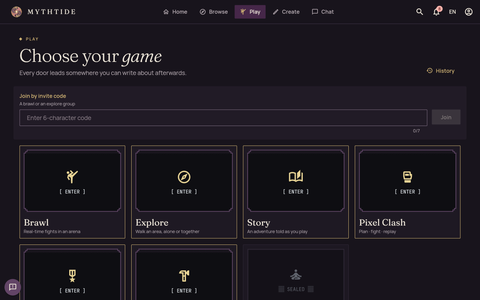
From Play, choose Brawl, then an arena and the character you’ll fight as. In a solo brawl your opponent is one of the arena’s creatures.
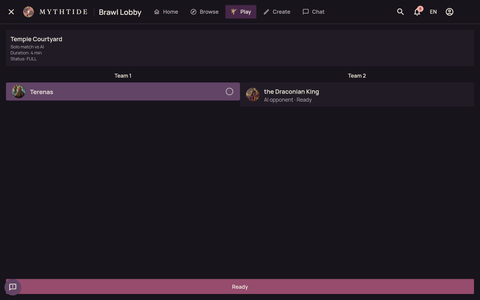
Ready in the lobby
The lobby shows each side. Choose Ready and the match begins.
Your hotkeys
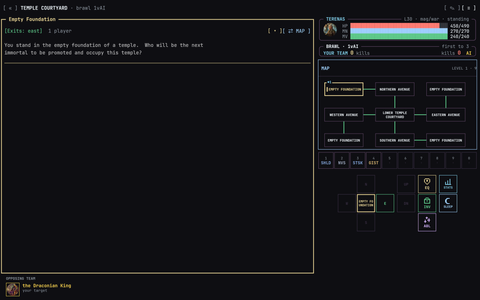
The bar of ten hotkeys (1 to 9, then 0) starts filled with your classes’ spells and skills. Tap one to use it, or press its number key on a keyboard. Hold one to change what’s on it.
Moving
Move with the compass, or with N S E W U D on a keyboard. The room’s exits are listed at the top of the room, and the map shows where you are.
Attacking
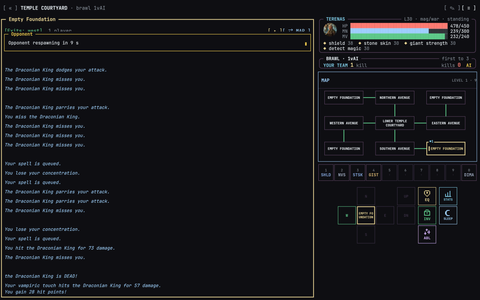
When your opponent is in the room, tap their name to attack. From then on you swing every round on your own; use your hotkeys for your combat skills and spells, and watch both health bars.
Winning
A defeated fighter is back in 10 seconds. The first side to 3 kills wins; otherwise, whoever has the most kills when the 4 minutes are up.
The results
When the brawl ends you’ll see who won and each fighter’s kills.
What next
Updated 30 October 2026
guide Guide · Getting started